FastAPI Unlocked: From First Endpoint to Production Deployment
FastAPI is a modern, high-performance Python web framework built on Starlette and Pydantic. Its core purpose is to use standard Python type hints to automatically validate requests, serialize responses, and generate interactive API documentation — with async support built in from the ground up.
Published on 15 jul 2026
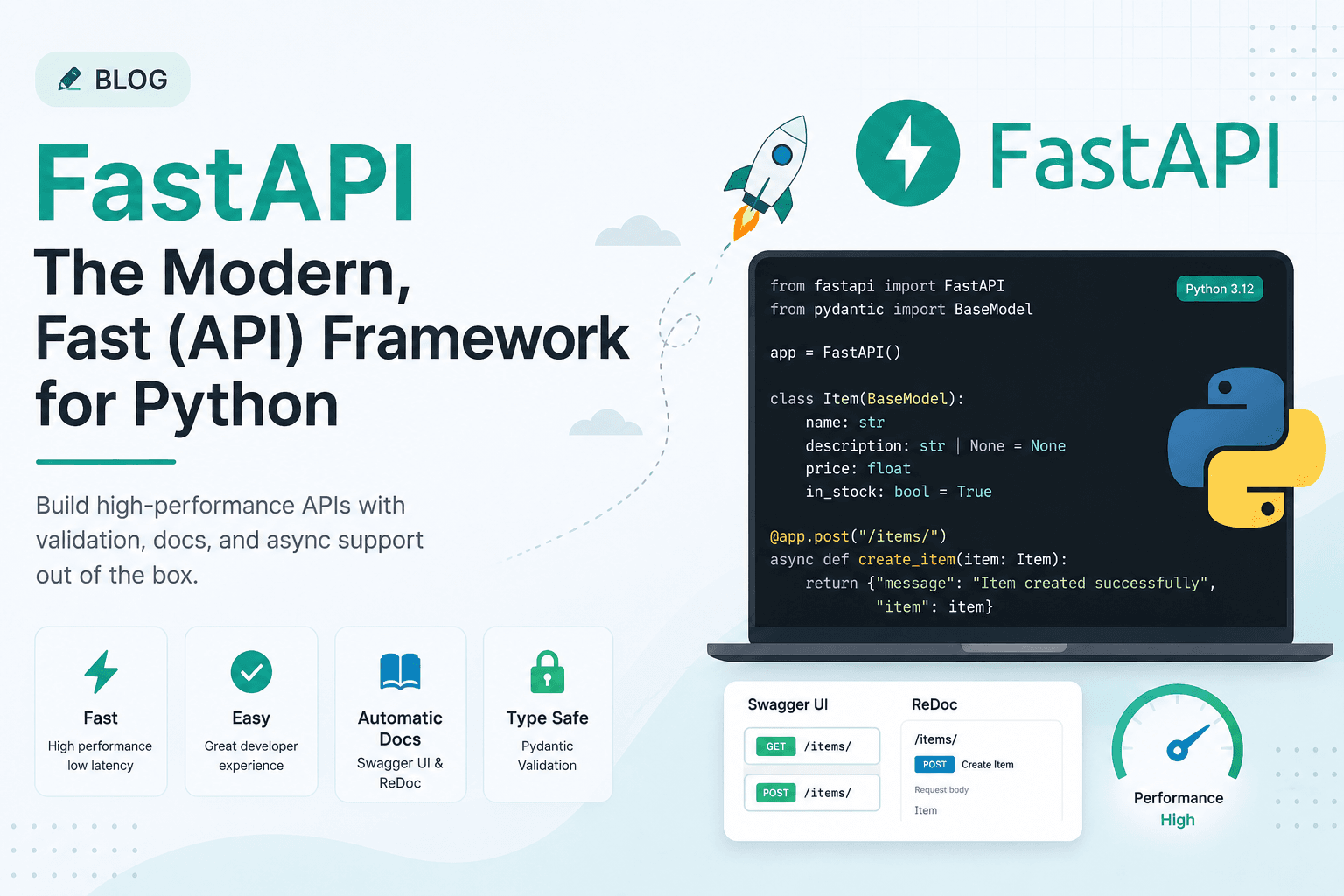
Table of Contents▶
- The Complete FastAPI Guide — From Basics to Production
- Table of Contents
- 1. What is FastAPI?
- 2. Why do we need FastAPI?
- 3. Where is FastAPI used?
- 4. Other frameworks available
- 5. FastAPI vs other frameworks — detailed comparison
- 6. Installation & Setup
- 7. App Instance
- 8. Routing
- 9. Path & Query Parameters
- 10. Request Body & Pydantic
- 11. Responses
- 12. Headers & Cookies
- 13. Files & Forms
- 14. Streams and Buffers (Deep Dive)
- 14.1 Why streaming matters
- 14.2 `StreamingResponse` — the core tool
- 14.3 Streaming an LLM response (token by token)
- 14.4 Server-Sent Events (SSE)
- 14.5 Streaming large files without loading them into memory
- 14.6 Buffers — `io.BytesIO` and `io.StringIO`
- 14.7 Reading an uploaded file as a stream (avoiding loading it all at once)
- 14.8 `Request.stream()` — reading the raw request body as it arrives
- 14.9 Summary — when to use what
- 15. Error Handling
- 16. Dependency Injection
- 17. Middleware
- 18. Application Lifecycle
- 19. Authentication & Security
- 20. Database Integration
- 21. Async Patterns
- 22. Routers (Modular Apps)
- 23. Testing
- 24. Complete Working Project
- 25. Deploying FastAPI to Production
- 25.1 Settings management (never hardcode secrets)
- 25.2 ASGI servers: Uvicorn vs Gunicorn
- 25.3 Containerizing with Docker
- 25.4 Reverse proxy with Nginx (TLS termination, static files, load balancing)
- 25.5 Running as a systemd service (bare-metal / VM deployments)
- 25.6 Kubernetes deployment (for scale)
- 25.7 Cloud deployment options
- 25.8 Production checklist
- 25.9 Rate limiting example
- 25.10 Health check endpoint
- 26. Final Checklist
The Complete FastAPI Guide — From Basics to Production
A single, complete reference: what FastAPI is, why it exists, how it compares to other frameworks, every core concept with working code, streams & buffers, and a full production deployment walkthrough.
1. What is FastAPI?
FastAPI is a modern, high-performance Python web framework for building APIs (mainly REST APIs). It was created by Sebastián Ramírez and first released in 2018. It's built on top of two foundational libraries:
- Starlette — handles the actual web layer: routing, requests, responses, WebSockets, middleware. Starlette is an ASGI framework, meaning it's async-native from the ground up.
- Pydantic — handles data validation and settings management using Python type hints. It converts incoming JSON into typed Python objects, validates it, and throws clear errors if something doesn't match.
FastAPI's core idea: use standard Python type hints to get automatic validation, serialization, and interactive documentation — for free.
from fastapi import FastAPI

app = FastAPI()

@app.get("/")
async def root():
    return {"message": "Hello World"}
That's a complete, working API. Run it, and you instantly get:
- JSON request/response handling
- Input validation with clear 422 errors
- Auto-generated interactive docs at
/docs(Swagger UI) and/redoc - An OpenAPI schema at
/openapi.json
2. Why do we need FastAPI?
Before FastAPI, Python web APIs were typically built with Flask or Django REST Framework. Both work well, but they share some pain points that FastAPI was designed to solve:
| Problem in older frameworks | How FastAPI solves it |
|---|---|
| Manual request validation (checking types, required fields by hand) | Automatic validation via Python type hints + Pydantic |
| Docs written by hand or via separate tools (Swagger annotations) | Auto-generated, always-in-sync docs from your code |
| Synchronous-only (blocking) request handling by default | Native async def support (ASGI), high concurrency |
Serialization boilerplate (manual .to_dict(), marshalling) | Automatic JSON serialization from return values/models |
| Slower iteration — editor doesn't know your data shapes | Full editor autocomplete & type-checking (mypy-friendly) |
| Runtime errors from bad data reaching business logic | Errors caught at the boundary, before your logic runs |
In short: FastAPI reduces boilerplate, catches bugs earlier, and produces self-documenting, high-performance code — with less to write and maintain.
Performance: because it's built on Starlette + ASGI + Uvicorn, FastAPI is one of the fastest Python frameworks available, comparable to NodeJS and Go in several benchmarks, while remaining as easy to write as Flask.
3. Where is FastAPI used?
FastAPI shows up anywhere a fast, well-documented, typed backend API is needed:
- Machine learning / AI model serving — wrapping a trained model (PyTorch, TensorFlow, scikit-learn, or an LLM) behind an HTTP endpoint. This is one of FastAPI's most common real-world use cases because ML teams are Python-native and need speed.
- Microservices — small, independent services that talk to each other over HTTP/gRPC, where async I/O and low overhead matter.
- Backend for web/mobile apps — a JSON API consumed by a React/Vue/Flutter frontend.
- Internal tooling & admin APIs — quick internal dashboards, automation endpoints, data pipelines with an HTTP trigger.
- Real-time systems — using WebSockets or Server-Sent Events for chat, notifications, or streaming LLM responses token-by-token.
- IoT and edge services — lightweight enough to run on small devices while still async and fast.
Companies known to use FastAPI (or reported as using it) include Netflix, Uber, Microsoft, and Explosion AI (spaCy), among many startups building AI products.
4. Other frameworks available
FastAPI isn't the only option. Here's the landscape, in Python and beyond:
Python web frameworks
- Flask — micro-framework, minimal, unopinionated, synchronous by default (though it supports async views in newer versions). Huge ecosystem of extensions.
- Django — "batteries-included" full-stack framework: ORM, admin panel, auth, templating, all built in. Heavier, more opinionated, traditionally synchronous (Django now has growing async support).
- Django REST Framework (DRF) — the standard way to build APIs on top of Django.
- Starlette — the lightweight ASGI toolkit FastAPI itself is built on. Use it directly if you want something even more minimal than FastAPI.
- Tornado — an older async framework, popular before
asynciowas part of the standard library. - Sanic — async Python framework focused purely on speed, similar spirit to FastAPI but without the automatic Pydantic validation layer.
- aiohttp — a general async HTTP client/server library, often used to build APIs manually.
- Litestar (formerly Starlite) — a newer FastAPI-inspired framework with a similar developer experience and some extra features (e.g. built-in DI system, ORM integrations).
Non-Python frameworks (for context/comparison)
- Express.js (Node.js) — the Flask-equivalent of the JavaScript world. Minimal, unopinionated, async by nature (event loop).
- NestJS (Node.js) — a structured, opinionated framework inspired by Angular; closest analogue to FastAPI's typed, decorator-based style but in TypeScript.
- Spring Boot (Java/Kotlin) — the enterprise standard for typed, structured backend services on the JVM.
- ASP.NET Core (C#/.NET) — Microsoft's high-performance, typed web framework.
- Gin / Fiber (Go) — extremely fast, minimal HTTP frameworks in Go.
- Ruby on Rails (Ruby) — full-stack, convention-over-configuration, similar spirit to Django.
5. FastAPI vs other frameworks — detailed comparison
FastAPI vs Flask
| FastAPI | Flask | |
|---|---|---|
| Concurrency model | Async-native (ASGI) | Sync (WSGI) by default |
| Validation | Automatic, via type hints + Pydantic | Manual, or via extensions (Marshmallow, WTForms) |
| Docs | Auto-generated Swagger/ReDoc | Manual, or via extensions (Flask-RESTX) |
| Performance | Higher out of the box (async I/O) | Lower under high concurrency without extra work |
| Learning curve | Slightly steeper (type hints, async) | Very gentle, minimal magic |
| Best for | APIs, especially I/O-heavy or ML-serving | Simple apps, quick prototypes, full-stack w/ templates |
FastAPI vs Django / DRF
| FastAPI | Django (+DRF) | |
|---|---|---|
| Scope | API-focused micro-to-medium framework | Full-stack: ORM, admin, auth, templating |
| ORM | Not included (bring your own — SQLAlchemy, Tortoise) | Built-in Django ORM |
| Admin panel | None built in | Built-in auto-generated admin UI |
| Async support | Native and first-class | Improving, but historically sync-first |
| Setup speed for a pure API | Very fast | Slower — more boilerplate for API-only projects |
| Best for | Pure APIs, microservices, ML services | Content-heavy sites, CMS-like apps, projects needing an admin panel out of the box |
FastAPI vs Node.js (Express/NestJS)
| FastAPI (Python) | Express/NestJS (Node.js) | |
|---|---|---|
| Language ecosystem | Python — strong for data/ML | JavaScript/TypeScript — strong for full-stack JS teams |
| Type safety | Python type hints + Pydantic (runtime validated) | TypeScript (compile-time) + libraries like Zod (runtime) |
| Concurrency | asyncio event loop | Node.js event loop (single-threaded, non-blocking) |
| ML/AI integration | Native — same language as PyTorch/TensorFlow | Requires calling out to Python or separate services |
| Raw throughput | Very high, close to Node in benchmarks | Very high |
FastAPI vs Go (Gin/Fiber)
Go frameworks are generally faster in raw throughput and use less memory because Go is compiled and has lightweight goroutines instead of an interpreted async event loop. FastAPI trades a bit of raw speed for Python's ecosystem — especially unbeatable if your service needs to call ML/data libraries directly.
Quick decision guide
- Need to serve an ML model, or your team already writes Python → FastAPI
- Need a quick script-like app or already love Flask's simplicity → Flask
- Need a full content site with an admin panel and ORM out of the box → Django
- Team is JS/TS-native, want a similar typed DX → NestJS
- Need absolute max throughput with lowest memory footprint → Go (Gin/Fiber)
6. Installation & Setup
# Recommended for beginners (includes uvicorn, multipart, email-validator)
pip install "fastapi[standard]"

# Minimal
pip install fastapi uvicorn

# Full dev stack
pip install fastapi uvicorn[standard] sqlalchemy asyncpg \
            pydantic-settings python-jose[cryptography] \
            passlib[bcrypt] python-multipart httpx pytest pytest-asyncio
Running the server:
# Development — auto-reload on save
uvicorn main:app --reload

# Custom host + port
uvicorn main:app --reload --host 0.0.0.0 --port 8080

# New FastAPI CLI (v0.111+)
fastapi dev main.py      # dev mode
fastapi run main.py      # production mode

# Production with Gunicorn + multiple workers
gunicorn main:app -w 4 -k uvicorn.workers.UvicornWorker

# Auto docs — open in browser
# http://127.0.0.1:8000/docs     ← Swagger UI
# http://127.0.0.1:8000/redoc    ← ReDoc
# http://127.0.0.1:8000/openapi.json
Project structure
# Small app
myapi/
├── main.py
└── requirements.txt

# Medium app
myapi/
├── main.py          # app factory + router includes
├── routers/
│   ├── users.py
│   └── items.py
├── schemas.py        # Pydantic models
├── models.py         # SQLAlchemy models
├── database.py       # DB session
└── .env

# Large app (domain-driven)
myapi/
├── main.py
├── core/
│   ├── config.py     # pydantic-settings
│   └── security.py   # JWT, hashing
├── api/v1/
│   ├── router.py
│   └── endpoints/
├── models/           # ORM
├── schemas/          # Pydantic
├── services/         # business logic
├── repositories/      # data access
└── tests/
7. App Instance
from fastapi import FastAPI

app = FastAPI(
    title="My API",
    description="API description shown in docs",
    version="1.0.0",
    docs_url="/docs",       # set None to disable Swagger
    redoc_url="/redoc",     # set None to disable ReDoc
    openapi_url="/openapi.json",
    terms_of_service="https://example.com/terms",
    contact={"name": "Dev", "email": "dev@example.com"},
    license_info={"name": "MIT"},
    openapi_tags=[
        {"name": "users", "description": "User management"},
        {"name": "items", "description": "Item CRUD"}
    ]
)
All params are optional — app = FastAPI() works perfectly for development.
from fastapi import FastAPI

app = FastAPI()               # create instance

@app.get("/")                 # register GET / route
async def root():
    return {"message": "Hello!"}   # dict → JSON automatically

# FastAPI auto-handles:
# ✓ dict/list/Pydantic model → JSON
# ✓ Content-Type: application/json
# ✓ /docs, /redoc, /openapi.json
# ✓ 422 validation on bad input
8. Routing
@app.get("/items")          # Read / list
@app.post("/items")         # Create — body required
@app.put("/items/{id}")     # Full update
@app.patch("/items/{id}")   # Partial update
@app.delete("/items/{id}")  # Delete
@app.head("/items")         # Like GET, no body
@app.options("/items")      # CORS preflight

# Multiple methods on one handler
@app.api_route("/items", methods=["GET", "POST"])
async def items_handler(): ...
⚠️ Route order matters — declare specific paths BEFORE dynamic ones:
/users/me before /users/{id}.
Route decorator options
@app.get(
    "/items/{id}",
    response_model=ItemOut,           # filter/shape output
    status_code=200,                   # default success code
    tags=["items"],                    # group in docs
    summary="Get a single item",       # docs title
    description="Long description...",
    response_description="Item object",
    deprecated=False,                  # shows strikethrough in docs
    include_in_schema=True,            # hide from docs if False
    response_model_exclude_none=True,  # strip None fields
    response_model_exclude_unset=True, # strip unset fields
)
async def get_item(id: int): ...
9. Path & Query Parameters
from fastapi import FastAPI, Path, Query
from enum import Enum
from typing import Optional

# Basic — type declared in signature, auto-coerced
@app.get("/users/{user_id}")
async def get_user(user_id: int):
    return {"user_id": user_id}
# GET /users/42  → {"user_id": 42}  (int, not "42")
# GET /users/abc → 422 Validation Error

# Path() with numeric constraints
@app.get("/items/{item_id}")
async def get_item(
    item_id: int = Path(..., gt=0, le=1000, description="Item ID (1-1000)")
):
    return {"item_id": item_id}

# Enum path params — restrict to fixed choices
class Category(str, Enum):
    books = "books"
    electronics = "electronics"

@app.get("/categories/{category}")
async def get_category(category: Category):
    return {"category": category}

# Query parameters with validation
@app.get("/search")
async def search(
    q: Optional[str] = Query(None, min_length=3, max_length=50),
    page: int = Query(1, ge=1),
    limit: int = Query(10, ge=1, le=100),
    tags: list[str] = Query([])   # ?tags=a&tags=b → ["a", "b"]
):
    return {"q": q, "page": page, "limit": limit, "tags": tags}
10. Request Body & Pydantic
from pydantic import BaseModel, Field, EmailStr, field_validator
from typing import Optional
from datetime import datetime

class UserCreate(BaseModel):
    email: EmailStr
    username: str = Field(..., min_length=3, max_length=20)
    password: str = Field(..., min_length=8)
    age: Optional[int] = Field(None, ge=0, le=120)

    @field_validator("username")
    @classmethod
    def username_alphanumeric(cls, v):
        if not v.isalnum():
            raise ValueError("username must be alphanumeric")
        return v

class UserOut(BaseModel):
    id: int
    email: EmailStr
    username: str
    created_at: datetime

    class Config:
        from_attributes = True   # allows creation from ORM objects

@app.post("/users", response_model=UserOut, status_code=201)
async def create_user(user: UserCreate):
    # user is already validated here — safe to use directly
    new_user = {
        "id": 1,
        "email": user.email,
        "username": user.username,
        "created_at": datetime.utcnow(),
    }
    return new_user
Nested models, lists of models, and partial updates (all fields optional) are all supported the same way — Pydantic handles arbitrarily deep validation.
11. Responses
from fastapi import status
from fastapi.responses import (
    JSONResponse, HTMLResponse, PlainTextResponse,
    RedirectResponse, FileResponse, StreamingResponse
)

# Common patterns
@app.post("/items", status_code=status.HTTP_201_CREATED)
async def create(item: Item): return item

@app.delete("/items/{id}", status_code=status.HTTP_204_NO_CONTENT)
async def delete(id: int): return   # no body

# Custom JSON with headers
@app.get("/custom")
async def custom():
    return JSONResponse(
        content={"msg": "ok"},
        headers={"X-Custom": "value"}
    )

# Redirect
@app.get("/old")
async def old(): return RedirectResponse("/new", status_code=301)

# File download
@app.get("/download/{name}")
async def download(name: str):
    return FileResponse(path=f"files/{name}", filename=name)

# Streaming (AI output, large data)
async def gen():
    for chunk in ["Hello", " World"]:
        yield chunk

@app.get("/stream")
async def stream(): return StreamingResponse(gen(), media_type="text/plain")
12. Headers & Cookies
from fastapi import Header, Response, Cookie
from typing import Optional, List

# FastAPI auto-converts hyphen→underscore
# HTTP "user-agent" → param "user_agent"
@app.get("/info")
async def info(
    user_agent: Optional[str] = Header(None),
    x_request_id: Optional[str] = Header(None),
    accept_language: Optional[str] = Header(None)
):
    return {"agent": user_agent, "lang": accept_language}

# Duplicate headers → List
@app.get("/tokens")
async def tokens(x_token: Optional[List[str]] = Header(None)):
    return {"tokens": x_token}

# Set response headers
@app.get("/with-header")
async def with_header(response: Response):
    response.headers["X-Custom"] = "my-value"
    response.headers["Cache-Control"] = "max-age=3600"
    return {"msg": "headers set"}

# Read request cookies
@app.get("/profile")
async def profile(session_id: Optional[str] = Cookie(None)):
    return {"session": session_id}

# Set cookies on response
class LoginRequest(BaseModel):
    username: str
    password: str

@app.post("/login")
async def login(request: LoginRequest, response: Response):

    # Dummy authentication
    if request.username != "admin" or request.password != "password123":
        raise HTTPException(status_code=401, detail="Invalid credentials")

    # Create session
    session_id = "abc123"

    response.set_cookie(
        key="session_id",
        value=session_id,
        httponly=True,
        secure=True,
        samesite="lax",
        max_age=3600
    )

    return {
        "status": "logged in",
        "user": request.username
    }

# Delete on logout
@app.post("/logout")
async def logout(response: Response):
    response.delete_cookie("session_id")
    return {"status": "logged out"}
13. Files & Forms
# pip install python-multipart (required for File/Form)
from fastapi import File, UploadFile, Form
from typing import List
import shutil, os

# UploadFile — preferred for all uploads
@app.post("/upload")
async def upload(file: UploadFile):
    contents = await file.read()
    return {
        "filename": file.filename,
        "content_type": file.content_type,
        "size_bytes": len(contents)
    }

# Save to disk
@app.post("/upload-save")
async def save_file(file: UploadFile):
    os.makedirs("uploads", exist_ok=True)
    with open(f"uploads/{file.filename}", "wb") as f:
        shutil.copyfileobj(file.file, f)
    return {"saved": file.filename}

# Multiple files
@app.post("/upload-multi")
async def upload_multi(files: List[UploadFile]):
    return {"filenames": [f.filename for f in files]}

# Form fields (non-JSON, e.g. HTML form submissions)
@app.post("/form-login")
async def form_login(username: str = Form(...), password: str = Form(...)):
    return {"username": username}

# Mixing form fields and a file
@app.post("/upload-with-caption")
async def upload_with_caption(file: UploadFile = File(...), caption: str = Form(...)):
    return {"filename": file.filename, "caption": caption}
14. Streams and Buffers (Deep Dive)
This is one of the most misunderstood areas of FastAPI. Here's a full
breakdown of streaming responses, streaming request bodies, and how buffers
(io.BytesIO / io.StringIO) fit in.
14.1 Why streaming matters
Normally, FastAPI builds the entire response body in memory, then sends it. That's fine for small JSON payloads, but breaks down for:
- Large files (videos, exports, backups)
- Long-running LLM token generation (you want each token sent as it's produced)
- Real-time data feeds (stock prices, logs, sensor data)
- Server-Sent Events (SSE) for live UI updates
Streaming sends the response in chunks, as they become available, instead of waiting for the whole thing to be ready.
14.2 StreamingResponse — the core tool
from fastapi.responses import StreamingResponse
import asyncio

async def number_generator():
    for i in range(10):
        yield f"chunk {i}\n"
        await asyncio.sleep(0.5)   # simulate slow work between chunks

@app.get("/stream-numbers")
async def stream_numbers():
    return StreamingResponse(number_generator(), media_type="text/plain")
The generator function is not a normal function — it's an async
generator. Each yield sends one chunk down the wire immediately; the client
starts receiving data before the server has finished producing all of it.
14.3 Streaming an LLM response (token by token)
async def llm_stream(prompt: str):
    # pretend this calls a real model API that yields tokens
    tokens = ["The", " quick", " brown", " fox", " jumps"]
    for token in tokens:
        yield token
        await asyncio.sleep(0.05)

@app.post("/chat")
async def chat(prompt: str):
    return StreamingResponse(llm_stream(prompt), media_type="text/plain")
14.4 Server-Sent Events (SSE)
SSE is a text-based protocol on top of HTTP for one-way server → client
streaming, ideal for chat UIs and live notifications. Each message is
prefixed with data: and ends with a double newline.
import json

async def sse_generator():
    for i in range(5):
        payload = {"event": "update", "count": i}
        yield f"data: {json.dumps(payload)}\n\n"
        await asyncio.sleep(1)

@app.get("/events")
async def events():
    return StreamingResponse(sse_generator(), media_type="text/event-stream")
14.5 Streaming large files without loading them into memory
@app.get("/download-large/{filename}")
async def download_large(filename: str):
    def file_chunk_reader(path: str, chunk_size: int = 1024 * 1024):
        with open(path, "rb") as f:
            while chunk := f.read(chunk_size):   # read in 1 MB chunks
                yield chunk

    return StreamingResponse(
        file_chunk_reader(f"files/{filename}"),
        media_type="application/octet-stream",
        headers={"Content-Disposition": f"attachment; filename={filename}"}
    )
This is the key difference from FileResponse: FileResponse is simpler and
also streams efficiently for local files, but a manual generator like this
gives you control when the data comes from a non-file source (e.g. a
database BLOB, cloud storage, or a remote API).
14.6 Buffers — io.BytesIO and io.StringIO
A buffer is an in-memory, file-like object. It behaves like a file
(.read(), .write(), .seek()) but lives entirely in RAM — useful when you
want to build or process data without touching disk.
import io
from fastapi.responses import StreamingResponse
import csv

@app.get("/export/csv")
async def export_csv():
    buffer = io.StringIO()          # text buffer
    writer = csv.writer(buffer)
    writer.writerow(["id", "name", "email"])
    writer.writerow([1, "Alice", "alice@example.com"])
    writer.writerow([2, "Bob", "bob@example.com"])

    buffer.seek(0)   # rewind to the start before reading
    return StreamingResponse(
        iter([buffer.getvalue()]),
        media_type="text/csv",
        headers={"Content-Disposition": "attachment; filename=export.csv"}
    )
Binary buffer example — generating a ZIP file in memory:
import zipfile

@app.get("/export/zip")
async def export_zip():
    mem_zip = io.BytesIO()          # binary buffer
    with zipfile.ZipFile(mem_zip, mode="w") as zf:
        zf.writestr("hello.txt", "Hello from inside a zip!")
        zf.writestr("data.json", '{"key": "value"}')

    mem_zip.seek(0)
    return StreamingResponse(
        mem_zip,
        media_type="application/zip",
        headers={"Content-Disposition": "attachment; filename=archive.zip"}
    )
14.7 Reading an uploaded file as a stream (avoiding loading it all at once)
UploadFile is itself backed by a SpooledTemporaryFile — small files stay
in memory, large ones automatically spill to disk. You can read it in chunks
instead of calling .read() for the whole thing:
@app.post("/upload-stream")
async def upload_stream(file: UploadFile):
    total_size = 0
    chunk_size = 1024 * 1024  # 1 MB

    while chunk := await file.read(chunk_size):
        total_size += len(chunk)
        # process chunk here — e.g. write to S3, hash incrementally, etc.

    return {"filename": file.filename, "total_bytes": total_size}
14.8 Request.stream() — reading the raw request body as it arrives
For cases where you need the raw bytes of the incoming request (e.g. proxying,
custom parsing, huge uploads without python-multipart):
from fastapi import Request

@app.post("/raw-stream")
async def raw_stream(request: Request):
    size = 0
    async for chunk in request.stream():
        size += len(chunk)
    return {"received_bytes": size}
14.9 Summary — when to use what
| Tool | Use case |
|---|---|
StreamingResponse + async generator | Sending output in chunks: LLM tokens, SSE, large generated content |
FileResponse | Sending a file that already exists on disk (simplest option) |
io.BytesIO / io.StringIO | Building binary/text data in memory (zip, csv, PDF) before sending or streaming it |
UploadFile.read(chunk_size) | Processing large uploads without loading the whole file into memory |
Request.stream() | Reading the raw request body incrementally, bypassing form parsing |
15. Error Handling
from fastapi import HTTPException, Request, status
from fastapi.responses import JSONResponse
from fastapi.exceptions import RequestValidationError

# Raise built-in HTTP errors anywhere in a path operation
@app.get("/items/{item_id}")
async def get_item(item_id: int):
    if item_id not in db:
        raise HTTPException(status_code=404, detail="Item not found")
    return db[item_id]

# Custom exception classes
class OutOfStockError(Exception):
    def __init__(self, item_name: str):
        self.item_name = item_name

@app.exception_handler(OutOfStockError)
async def out_of_stock_handler(request: Request, exc: OutOfStockError):
    return JSONResponse(
        status_code=409,
        content={"error": f"{exc.item_name} is out of stock"}
    )

# Override the default validation error format
@app.exception_handler(RequestValidationError)
async def validation_exception_handler(request: Request, exc: RequestValidationError):
    return JSONResponse(
        status_code=422,
        content={"detail": exc.errors(), "body": exc.body}
    )
16. Dependency Injection
from fastapi import Depends
from typing import Annotated

# Simple reusable dependency
async def get_query_params(q: str | None = None, page: int = 1):
    return {"q": q, "page": page}

@app.get("/search")
async def search(params: dict = Depends(get_query_params)):
    return params

# Class-based dependency (useful for grouping related params)
class Pagination:
    def __init__(self, page: int = 1, size: int = 20):
        self.page = page
        self.size = size

@app.get("/items")
async def list_items(pagination: Pagination = Depends()):
    return {"page": pagination.page, "size": pagination.size}

# Dependency with sub-dependencies + yield (setup/teardown, e.g. DB session)
async def get_db():
    db = SessionLocal()
    try:
        yield db          # provided to the route
    finally:
        db.close()         # cleanup runs after the request finishes

@app.get("/users/{id}")
async def get_user(id: int, db=Depends(get_db)):
    return db.query(User).get(id)

# Shared dependencies at the router or app level
app = FastAPI(dependencies=[Depends(verify_api_key)])
17. Middleware
from fastapi import FastAPI, Request
from fastapi.middleware.cors import CORSMiddleware
from fastapi.middleware.gzip import GZipMiddleware
import time

app = FastAPI()

# Built-in CORS middleware
app.add_middleware(
    CORSMiddleware,
    allow_origins=["https://example.com"],
    allow_credentials=True,
    allow_methods=["*"],
    allow_headers=["*"],
)

# Built-in GZip compression
app.add_middleware(GZipMiddleware, minimum_size=1000)

# Custom middleware — timing every request
@app.middleware("http")
async def add_process_time_header(request: Request, call_next):
    start = time.time()
    response = await call_next(request)
    response.headers["X-Process-Time"] = str(time.time() - start)
    return response
18. Application Lifecycle
from contextlib import asynccontextmanager
from fastapi import FastAPI

@asynccontextmanager
async def lifespan(app: FastAPI):
    # Startup — runs once before the app starts accepting requests
    app.state.db = await connect_to_db()
    app.state.redis = await connect_to_redis()
    print("App started")
    yield
    # Shutdown — runs once when the app is stopping
    await app.state.db.close()
    await app.state.redis.close()
    print("App stopped")

app = FastAPI(lifespan=lifespan)
19. Authentication & Security
from fastapi import Depends, HTTPException, status
from fastapi.security import OAuth2PasswordBearer, OAuth2PasswordRequestForm
from jose import jwt, JWTError
from passlib.context import CryptContext
from datetime import datetime, timedelta

SECRET_KEY = "change-me-in-production"
ALGORITHM = "HS256"
ACCESS_TOKEN_EXPIRE_MINUTES = 30

pwd_context = CryptContext(schemes=["bcrypt"], deprecated="auto")
oauth2_scheme = OAuth2PasswordBearer(tokenUrl="token")

def verify_password(plain: str, hashed: str) -> bool:
    return pwd_context.verify(plain, hashed)

def hash_password(password: str) -> str:
    return pwd_context.hash(password)

def create_access_token(data: dict):
    to_encode = data.copy()
    expire = datetime.utcnow() + timedelta(minutes=ACCESS_TOKEN_EXPIRE_MINUTES)
    to_encode.update({"exp": expire})
    return jwt.encode(to_encode, SECRET_KEY, algorithm=ALGORITHM)

async def get_current_user(token: str = Depends(oauth2_scheme)):
    credentials_exception = HTTPException(
        status_code=status.HTTP_401_UNAUTHORIZED,
        detail="Could not validate credentials",
        headers={"WWW-Authenticate": "Bearer"},
    )
    try:
        payload = jwt.decode(token, SECRET_KEY, algorithms=[ALGORITHM])
        username: str = payload.get("sub")
        if username is None:
            raise credentials_exception
    except JWTError:
        raise credentials_exception
    return username

@app.post("/token")
async def login(form_data: OAuth2PasswordRequestForm = Depends()):
    # verify against your user DB here
    access_token = create_access_token(data={"sub": form_data.username})
    return {"access_token": access_token, "token_type": "bearer"}

@app.get("/users/me")
async def read_users_me(current_user: str = Depends(get_current_user)):
    return {"username": current_user}
20. Database Integration
# pip install sqlalchemy asyncpg
from sqlalchemy.ext.asyncio import create_async_engine, AsyncSession
from sqlalchemy.orm import sessionmaker, declarative_base
from sqlalchemy import Column, Integer, String

DATABASE_URL = "postgresql+asyncpg://user:pass@localhost/mydb"

engine = create_async_engine(DATABASE_URL, echo=True)
AsyncSessionLocal = sessionmaker(engine, class_=AsyncSession, expire_on_commit=False)
Base = declarative_base()

class User(Base):
    __tablename__ = "users"
    id = Column(Integer, primary_key=True)
    email = Column(String, unique=True, index=True)
    hashed_password = Column(String)

async def get_db():
    async with AsyncSessionLocal() as session:
        yield session

@app.post("/users")
async def create_user(email: str, password: str, db: AsyncSession = Depends(get_db)):
    user = User(email=email, hashed_password=hash_password(password))
    db.add(user)
    await db.commit()
    await db.refresh(user)
    return {"id": user.id, "email": user.email}
21. Async Patterns
import asyncio
import httpx

# Run independent I/O calls concurrently
@app.get("/aggregate")
async def aggregate():
    async with httpx.AsyncClient() as client:
        results = await asyncio.gather(
            client.get("https://api.example.com/a"),
            client.get("https://api.example.com/b"),
            client.get("https://api.example.com/c"),
        )
    return [r.json() for r in results]

# Run CPU-bound / blocking code without blocking the event loop
from fastapi.concurrency import run_in_threadpool

def cpu_heavy_task(n: int) -> int:
    return sum(i * i for i in range(n))

@app.get("/compute")
async def compute(n: int = 1_000_000):
    result = await run_in_threadpool(cpu_heavy_task, n)
    return {"result": result}
Rule of thumb: use async def for I/O-bound work (DB calls, HTTP requests,
file I/O with async libraries). Use a regular def (FastAPI runs it in a
thread pool automatically) or run_in_threadpool for blocking/CPU-bound work.
22. Routers (Modular Apps)
# routers/users.py
from fastapi import APIRouter

router = APIRouter(prefix="/users", tags=["users"])

@router.get("/")
async def list_users():
    return [{"id": 1}]

@router.get("/{id}")
async def get_user(id: int):
    return {"id": id}
# main.py
from fastapi import FastAPI
from routers import users, items

app = FastAPI()
app.include_router(users.router)
app.include_router(items.router, prefix="/api/v1")
23. Testing
# pip install pytest pytest-asyncio httpx
from httpx import AsyncClient, ASGITransport
import pytest

app.dependency_overrides[get_db] = get_test_db

@pytest.mark.asyncio
async def test_create_user():
    async with AsyncClient(
        transport=ASGITransport(app=app), base_url="http://test"
    ) as client:
        res = await client.post("/users", json={
            "email": "test@example.dev", "password": "secure123"
        })
        assert res.status_code == 201
        assert "password" not in res.json()
24. Complete Working Project
A minimal but complete, runnable FastAPI project tying together routing, Pydantic, a database, auth, and streaming.
# main.py
from contextlib import asynccontextmanager
from fastapi import FastAPI, Depends, HTTPException, status
from fastapi.responses import StreamingResponse
from fastapi.security import OAuth2PasswordBearer, OAuth2PasswordRequestForm
from pydantic import BaseModel, EmailStr
from passlib.context import CryptContext
from jose import jwt, JWTError
from datetime import datetime, timedelta
import asyncio

SECRET_KEY = "super-secret-key"
ALGORITHM = "HS256"
pwd_context = CryptContext(schemes=["bcrypt"], deprecated="auto")
oauth2_scheme = OAuth2PasswordBearer(tokenUrl="token")

# --- fake in-memory "database" ---
fake_users_db = {}
next_id = 1

# --- schemas ---
class UserCreate(BaseModel):
    email: EmailStr
    password: str

class UserOut(BaseModel):
    id: int
    email: EmailStr

# --- lifespan ---
@asynccontextmanager
async def lifespan(app: FastAPI):
    print("Starting up...")
    yield
    print("Shutting down...")

app = FastAPI(title="Demo API", lifespan=lifespan)

# --- helpers ---
def create_access_token(data: dict):
    to_encode = data.copy()
    to_encode["exp"] = datetime.utcnow() + timedelta(minutes=30)
    return jwt.encode(to_encode, SECRET_KEY, algorithm=ALGORITHM)

async def get_current_user(token: str = Depends(oauth2_scheme)):
    try:
        payload = jwt.decode(token, SECRET_KEY, algorithms=[ALGORITHM])
        email = payload.get("sub")
    except JWTError:
        raise HTTPException(status_code=401, detail="Invalid token")
    user = fake_users_db.get(email)
    if not user:
        raise HTTPException(status_code=401, detail="User not found")
    return user

# --- routes ---
@app.post("/users", response_model=UserOut, status_code=201)
async def register(user: UserCreate):
    global next_id
    if user.email in fake_users_db:
        raise HTTPException(status_code=400, detail="Email already registered")
    fake_users_db[user.email] = {
        "id": next_id, "email": user.email,
        "hashed_password": pwd_context.hash(user.password)
    }
    result = {"id": next_id, "email": user.email}
    next_id += 1
    return result

@app.post("/token")
async def login(form_data: OAuth2PasswordRequestForm = Depends()):
    user = fake_users_db.get(form_data.username)
    if not user or not pwd_context.verify(form_data.password, user["hashed_password"]):
        raise HTTPException(status_code=401, detail="Incorrect email or password")
    token = create_access_token({"sub": user["email"]})
    return {"access_token": token, "token_type": "bearer"}

@app.get("/users/me", response_model=UserOut)
async def read_me(current_user: dict = Depends(get_current_user)):
    return current_user

@app.get("/stream-demo")
async def stream_demo():
    async def gen():
        for i in range(5):
            yield f"chunk {i}\n"
            await asyncio.sleep(0.3)
    return StreamingResponse(gen(), media_type="text/plain")

@app.get("/health")
async def health():
    return {"status": "healthy"}
# requirements.txt
fastapi[standard]
python-jose[cryptography]
passlib[bcrypt]
Run it with:
uvicorn main:app --reload
Then visit http://127.0.0.1:8000/docs to try every endpoint interactively.
25. Deploying FastAPI to Production
This section covers the full path from "works on my machine" to a live, resilient production deployment.
25.1 Settings management (never hardcode secrets)
# pip install pydantic-settings
from pydantic_settings import BaseSettings
from functools import lru_cache

class Settings(BaseSettings):
    app_name: str = "My API"
    debug: bool = False
    database_url: str
    secret_key: str
    redis_url: str = "redis://localhost:6379"
    allowed_origins: list[str] = ["https://example.com"]

    class Config:
        env_file = ".env"
        env_file_encoding = "utf-8"

@lru_cache()
def get_settings() -> Settings:
    return Settings()

@app.get("/info")
async def info(settings: Settings = Depends(get_settings)):
    return {"app": settings.app_name}
25.2 ASGI servers: Uvicorn vs Gunicorn
- Uvicorn is the ASGI server that actually runs your app. It's fast, but a single Uvicorn process uses one CPU core.
- Gunicorn is a process manager. In production, you run Gunicorn with Uvicorn worker processes so you use all CPU cores and get automatic worker restarts if one crashes.
# Production launch — 4 worker processes, each an event loop
gunicorn main:app -w 4 -k uvicorn.workers.UvicornWorker \
  --bind 0.0.0.0:8000 \
  --timeout 120 \
  --access-logfile - \
  --error-logfile -

# Rule of thumb for worker count: (2 x CPU cores) + 1
Alternatively, the new FastAPI CLI wraps this for you:
fastapi run main.py --workers 4
25.3 Containerizing with Docker
# Dockerfile
FROM python:3.12-slim

WORKDIR /app

COPY requirements.txt .
RUN pip install --no-cache-dir -r requirements.txt

COPY . .

EXPOSE 8000

CMD ["gunicorn", "main:app", "-w", "4", "-k", "uvicorn.workers.UvicornWorker", \
     "--bind", "0.0.0.0:8000"]
# docker-compose.yml
version: '3.9'
services:
  api:
    build: .
    ports:
      - '8000:8000'
    env_file: .env
    depends_on:
      - db
      - redis
    restart: unless-stopped

  db:
    image: postgres:16
    environment:
      POSTGRES_USER: myuser
      POSTGRES_PASSWORD: mypassword
      POSTGRES_DB: mydb
    volumes:
      - pgdata:/var/lib/postgresql/data

  redis:
    image: redis:7

volumes:
  pgdata:
docker build -t my-fastapi-app .
docker compose up -d
25.4 Reverse proxy with Nginx (TLS termination, static files, load balancing)
# /etc/nginx/sites-available/myapi
server {
    listen 80;
    server_name api.example.com;

    location / {
        proxy_pass http://127.0.0.1:8000;
        proxy_set_header Host $host;
        proxy_set_header X-Real-IP $remote_addr;
        proxy_set_header X-Forwarded-For $proxy_add_x_forwarded_for;
        proxy_set_header X-Forwarded-Proto $scheme;

        # Needed for streaming/SSE responses — disable buffering
        proxy_buffering off;
        proxy_read_timeout 3600s;
    }
}
Then secure it with a free TLS certificate via Certbot (Let's Encrypt):
sudo certbot --nginx -d api.example.com
25.5 Running as a systemd service (bare-metal / VM deployments)
# /etc/systemd/system/myapi.service
[Unit]
Description=FastAPI app
After=network.target

[Service]
User=www-data
WorkingDirectory=/opt/myapi
ExecStart=/opt/myapi/venv/bin/gunicorn main:app -w 4 -k uvicorn.workers.UvicornWorker --bind 127.0.0.1:8000
Restart=always
EnvironmentFile=/opt/myapi/.env

[Install]
WantedBy=multi-user.target
sudo systemctl daemon-reload
sudo systemctl enable myapi
sudo systemctl start myapi
25.6 Kubernetes deployment (for scale)
# deployment.yaml
apiVersion: apps/v1
kind: Deployment
metadata:
  name: fastapi-app
spec:
  replicas: 3
  selector:
    matchLabels:
      app: fastapi-app
  template:
    metadata:
      labels:
        app: fastapi-app
    spec:
      containers:
        - name: fastapi-app
          image: myregistry/my-fastapi-app:latest
          ports:
            - containerPort: 8000
          envFrom:
            - secretRef:
                name: fastapi-secrets
          readinessProbe:
            httpGet:
              path: /health
              port: 8000
            initialDelaySeconds: 5
          livenessProbe:
            httpGet:
              path: /health
              port: 8000
            initialDelaySeconds: 15
---
apiVersion: v1
kind: Service
metadata:
  name: fastapi-service
spec:
  selector:
    app: fastapi-app
  ports:
    - port: 80
      targetPort: 8000
  type: LoadBalancer
25.7 Cloud deployment options
- AWS: ECS/Fargate (containers), Lambda + Mangum (serverless ASGI adapter), or EC2 + systemd/Docker.
- Google Cloud: Cloud Run — arguably the easiest way to deploy a container with automatic scaling to zero.
- Azure: App Service (container support) or Azure Container Apps.
- Render / Railway / Fly.io: simplest option for small teams — push a Dockerfile and get a URL with TLS, autoscaling, and logs pre-wired.
25.8 Production checklist
-
debug=False, no reload flag, no--reloadin production - Secrets loaded from environment variables / secret manager, never hardcoded
- CORS configured with explicit origins (not
["*"]) in production - HTTPS enforced (redirect HTTP → HTTPS)
- Rate limiting on sensitive endpoints (login, signup)
- Structured logging (JSON logs) shipped to a log aggregator
-
/healthendpoint wired to your load balancer / k8s probes - Database connections pooled, migrations run via Alembic (not
create_all) - Gunicorn/Uvicorn worker count tuned to CPU cores
- Monitoring/tracing in place (Prometheus metrics, OpenTelemetry, Sentry)
- Automatic restarts on crash (systemd
Restart=always, k8s restart policy) - Reverse proxy disables buffering for streaming/SSE routes
25.9 Rate limiting example
# pip install slowapi redis
from slowapi import Limiter, _rate_limit_exceeded_handler
from slowapi.util import get_remote_address
from slowapi.errors import RateLimitExceeded

limiter = Limiter(key_func=get_remote_address, storage_uri="redis://localhost")
app.state.limiter = limiter
app.add_exception_handler(RateLimitExceeded, _rate_limit_exceeded_handler)

@app.post("/auth/login")
@limiter.limit("5/minute")          # strict brute-force protection
async def login(request: Request, ...): ...

@app.get("/api/search")
@limiter.limit("60/minute")         # relaxed
async def search(request: Request): ...
25.10 Health check endpoint
from fastapi import Request
import time

START_TIME = time.time()

@app.get("/health")
async def health(request: Request):
    db_ok = True
    try:
        await request.app.state.db.execute("SELECT 1")
    except Exception:
        db_ok = False

    return {
        "status": "healthy" if db_ok else "degraded",
        "uptime_seconds": round(time.time() - START_TIME),
        "database": "ok" if db_ok else "unreachable",
    }
26. Final Checklist
- Understand what FastAPI is and why it exists (typed, async, self-documenting APIs)
- Know when to reach for FastAPI vs Flask/Django/Node/Go
- Comfortable with path/query params, request bodies, and Pydantic validation
- Comfortable with responses, headers, cookies, files, and streaming/buffers
- Understand dependency injection, middleware, and lifespan events
- Can wire up authentication (JWT/OAuth2) and a database
- Know how to write tests using
httpx.AsyncClientanddependency_overrides - Know how to containerize and deploy: Gunicorn + Uvicorn workers, Docker, Nginx, systemd, Kubernetes, or a managed cloud platform
This guide consolidates FastAPI fundamentals through production deployment, including in-memory streaming/buffer patterns, into a single reference document.